> For the complete documentation index, see [llms.txt](https://bitfunded.gitbook.io/support/llms.txt). Markdown versions of documentation pages are available by appending `.md` to page URLs; this page is available as [Markdown](https://bitfunded.gitbook.io/support/introduction/bitfunded-app-ios-pwa.md).
# Bitfunded App iOS (PWA)
With our Progressive Web App (PWA), you can trade, track your progress, and access all Bitfunded features just like a native app. 🚀
**Step 1**
Open **Safari** and go to [www.bitfunded.com](https://www.bitfunded.com)
**Step 2**
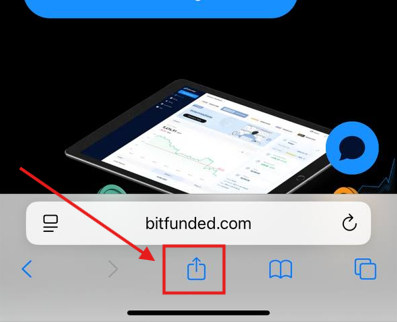
Tap the **“Share”** icon (bottom center of your screen)
**Step 3**
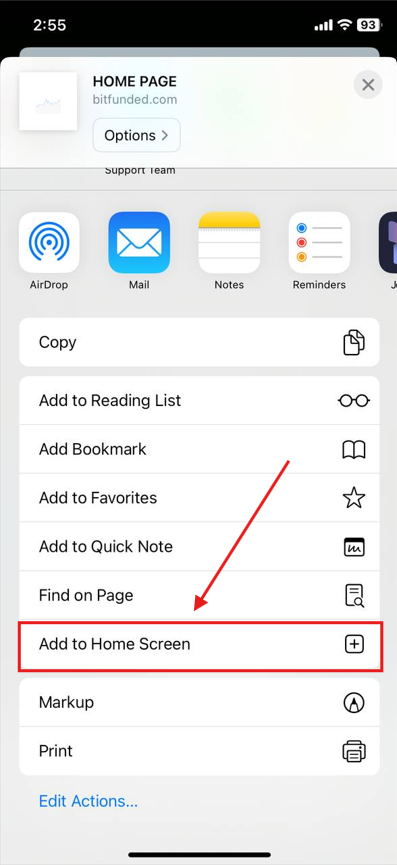
Scroll down and select **“Add to Home Screen”**
That's it! The Bitfunded App is now available directly from your iPhone’s home screen. Simple, efficient, and easy to access at any time.